🎉 October Update: Link Resources in Trust Center, Simplified GCP Connection Flow, and Marking Automated Tasks as Not Applicable
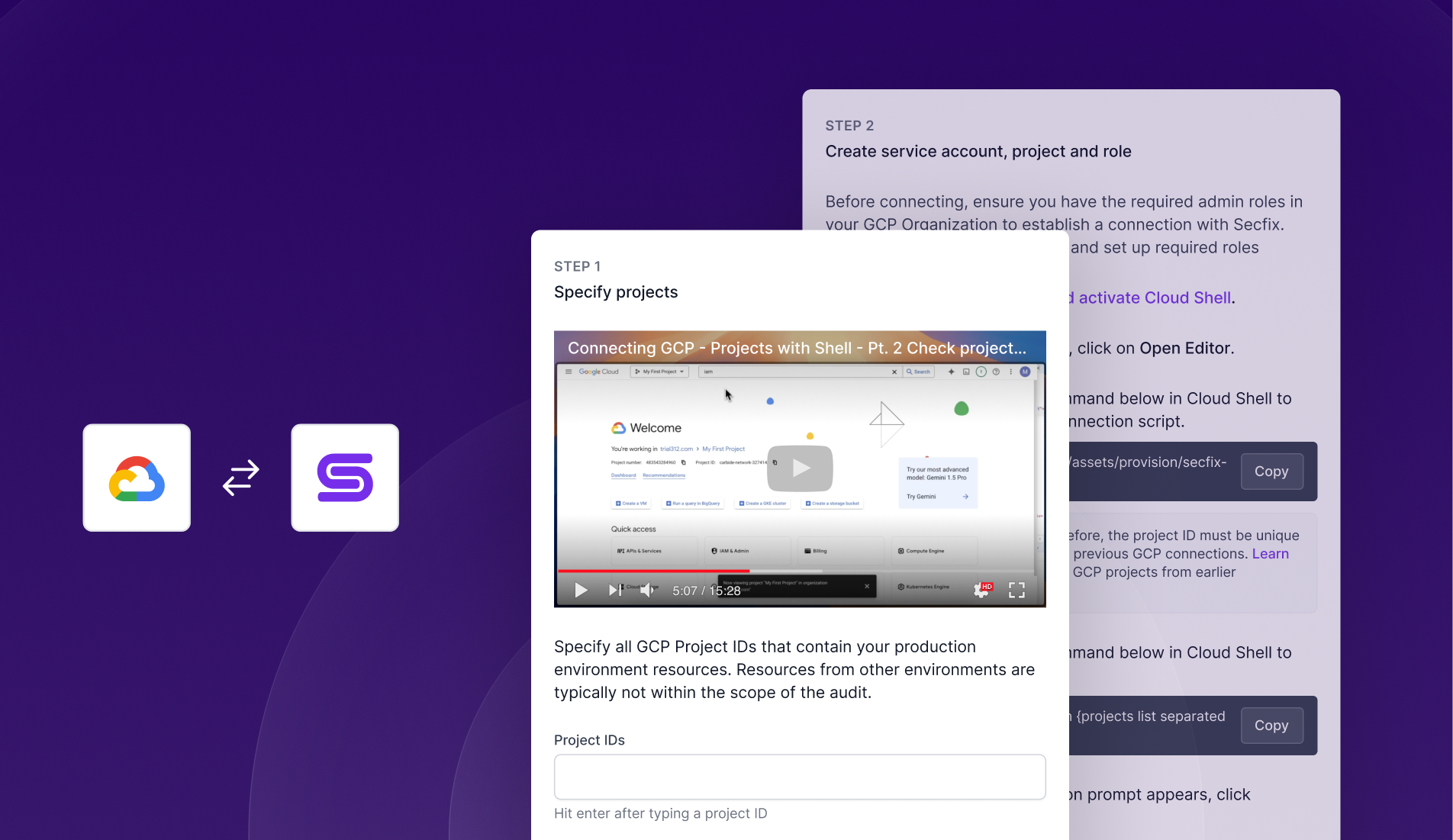
1. GCP Connection: Simplified Setup Flow
We’ve redesigned the GCP connection steps to make the process smoother and more intuitive. With clearer instructions and a more user-friendly flow, connecting your GCP account is now easier than ever.
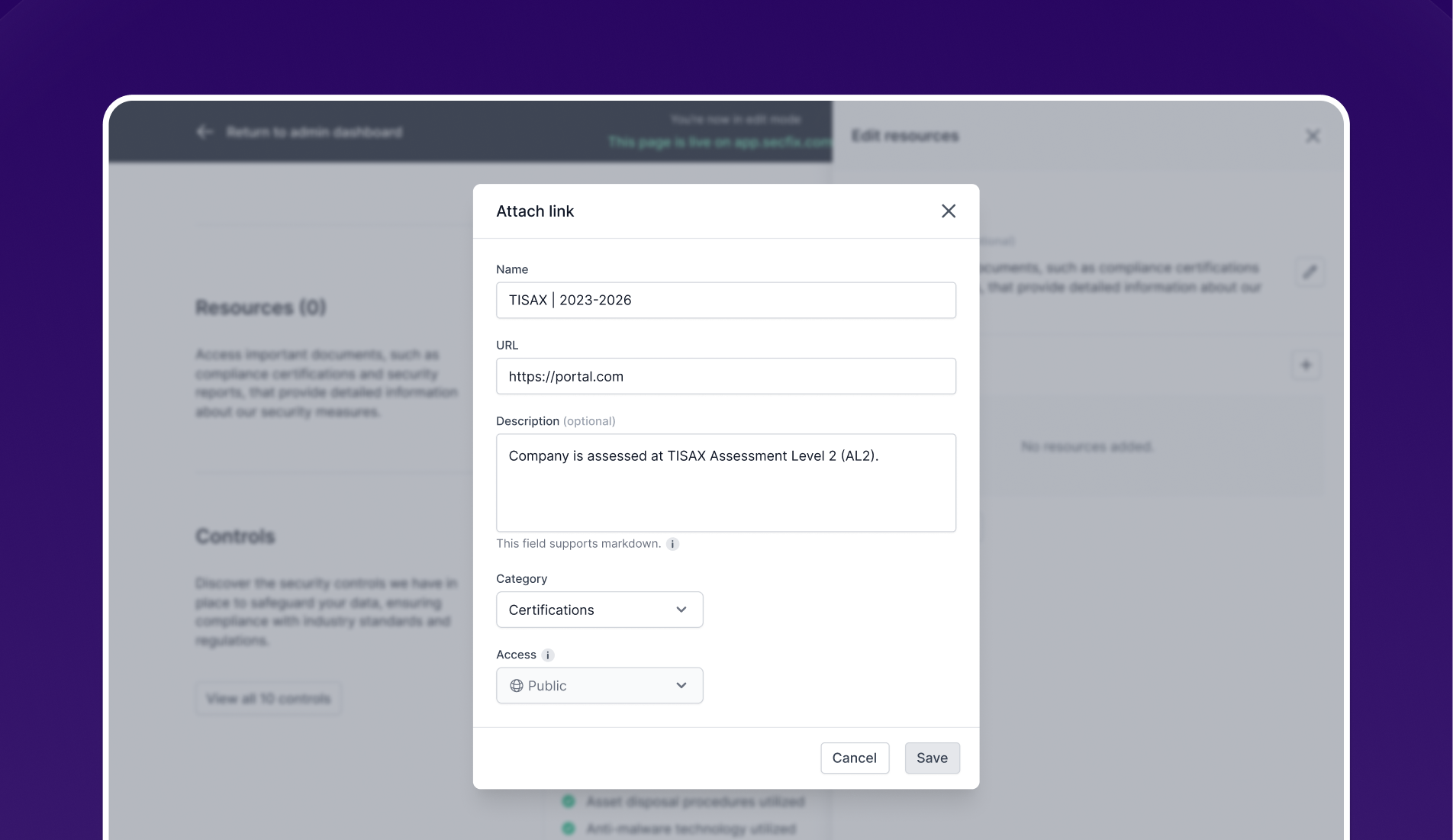
2. Trust Center: Add Link Resources
You can now attach links as resources in the Trust Center, alongside documents.
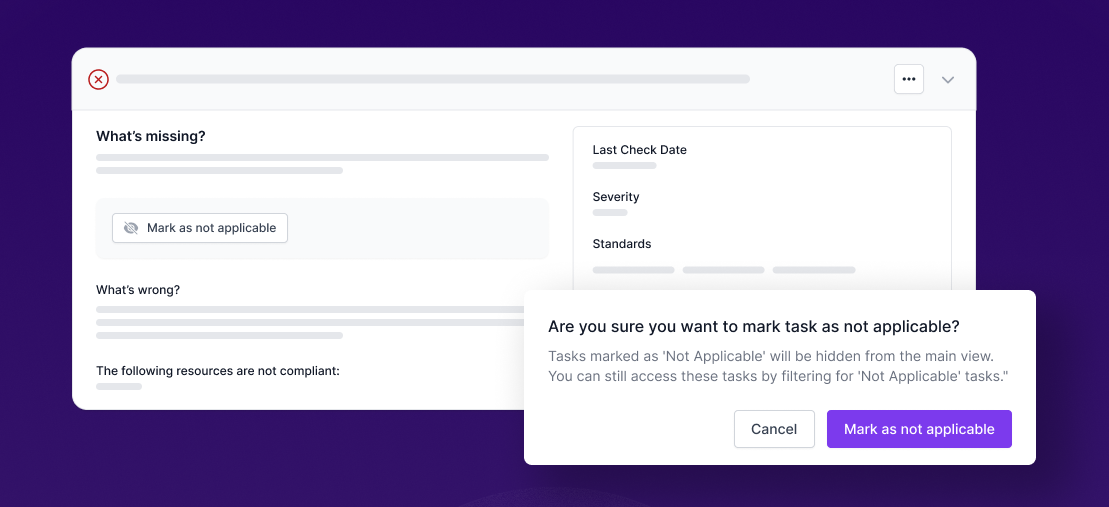
3. Mark automated task as "Not Applicable"
You can now mark automated tasks as "Not Applicable." Once marked, these tasks will be hidden from your main view and will not appear in your security report. However, you can still view them by applying the "Not Applicable" filter. If needed, you can restore them to the main list by switching their status to "Mark as Applicable."