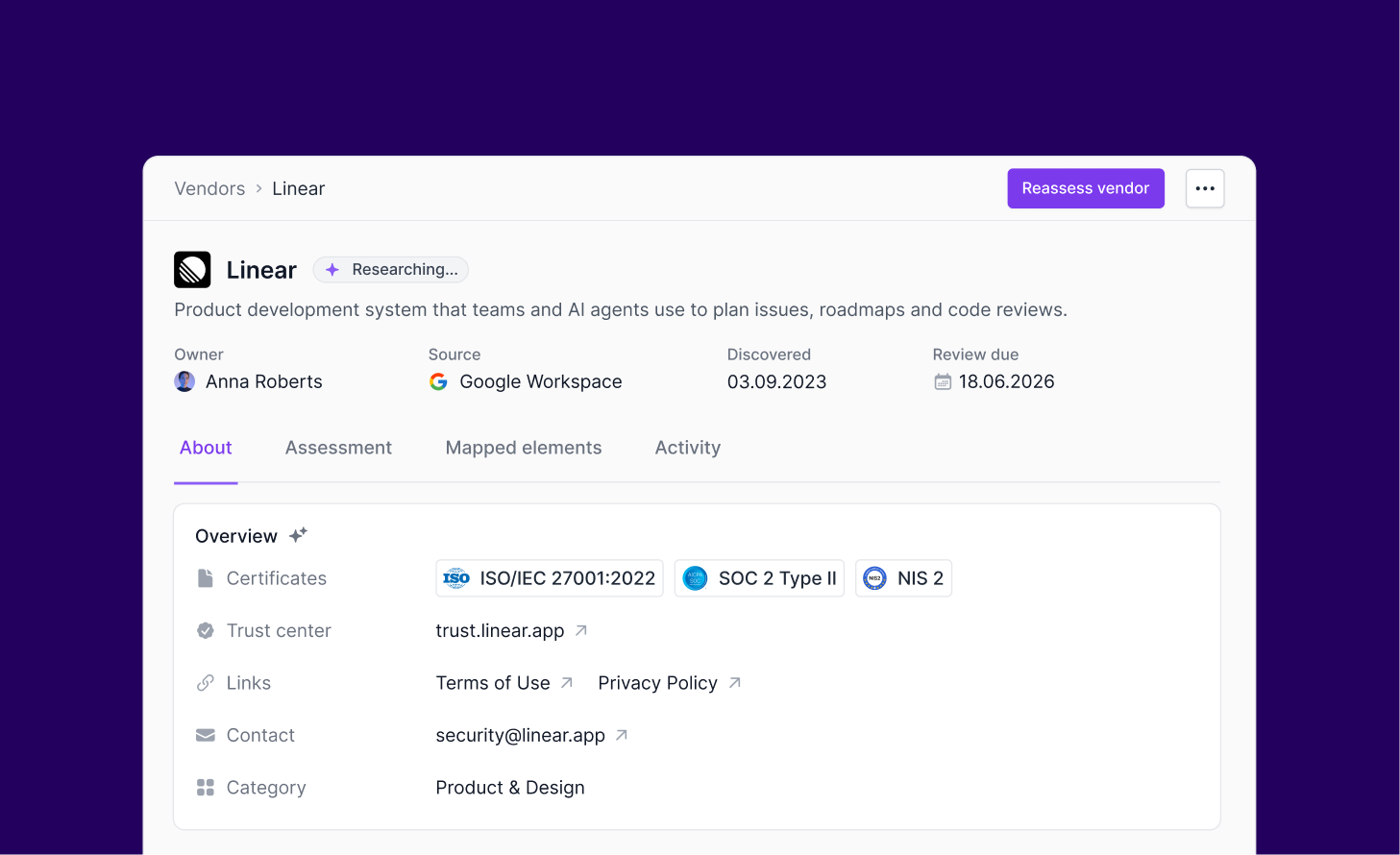
Auto-filled vendor details and labels for inventory and risks
Less manual work with auto-filled vendor details
You can now add vendors with less manual work. When you add a vendor to Secfix, its key details are filled in automatically.
What’s new
Vendor overview: a description of what the vendor does, its category, and the services it offers are filled in automatically.
Key links: privacy policy, terms of use, and trust center links and security contacts are added whenever available.
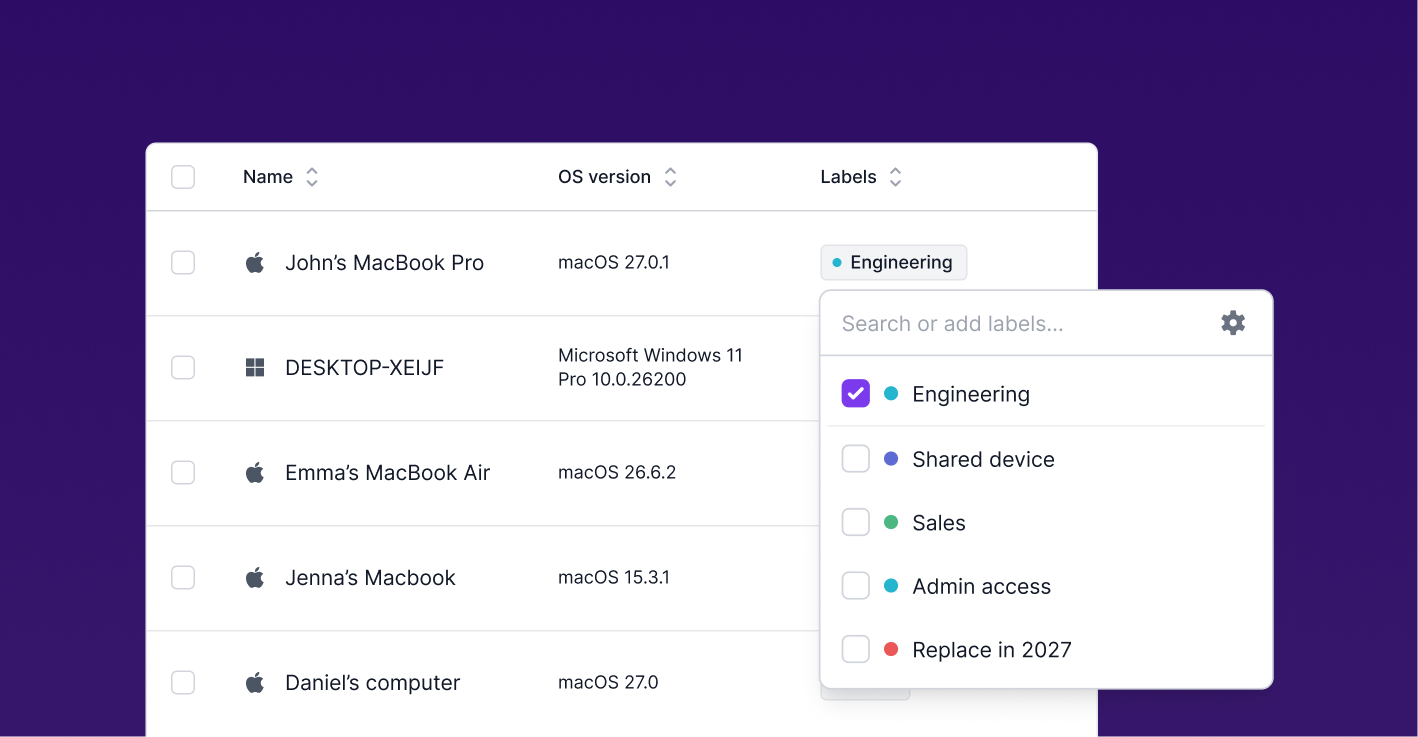
Organize your inventory and risks with labels
You can now group your assets and risks your own way. Create labels for types, assigned teams, sub-categories, locations, or anything else you need.
What’s new
Labels in Inventory: add as many labels as you need to group your assets.
Labels in the risk register: label your risks too, for example by team, project, or treatment status.
One set of labels everywhere: create a label once and use it in both Inventory and the risk register.
Filter by label: quickly find what you need, for example while preparing for an audit.
Manage labels in one place: create, rename, color, and describe your labels in Settings › Labels.